
AI Image to Prompt
Upload an image and let AI extract a detailed, structured text prompt describing every visual element — subject, composition, lighting, color palette, style, and mood.
Drop an image or click to upload (max 10MB)
Upload an image and click Extract Prompt to get started
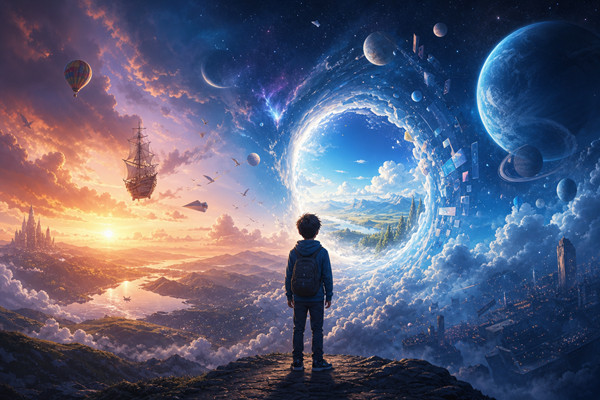
What Is AI Image to Prompt and Why Does It Matter?
AI image to prompt is a reverse engineering technique that uses multimodal AI models to analyze an image and generate a detailed text description that could reproduce it. Unlike simple image captioning — which produces short, generic summaries — image to prompt extraction generates rich, nuanced prompts that capture the full visual vocabulary: subject appearance, pose and expression, camera angle and lens choice, lighting setup, color grading, artistic medium, and compositional structure. This technology bridges the gap between visual inspiration and text-based AI generation. Whether you have a reference photo you want to recreate, a painting whose style you want to emulate, or a design concept you need to communicate to an AI model, image to prompt gives you the exact words to get there. It transforms visual assets into actionable prompts for Nano Banana, Midjourney, GPT Image 2, SeeVid, and any other text-to-image or text-to-video system — making it an essential tool in every creative AI workflow.
Deep Visual Understanding
Modern multimodal AI models don't just see pixels — they understand scenes. They identify objects, recognize artistic styles, infer camera settings, and interpret emotional tone. This deep understanding enables them to produce prompts that are far more specific and useful than any human-written caption, capturing nuances that even experienced prompt engineers might overlook.
Structured Output for Reproducibility
The extracted prompt isn't a random paragraph — it's a structured description organized by visual category: subject, environment, camera, lighting, color, style, and mood. This structure makes it easy to modify individual elements, combine aspects from different images, or fine-tune the prompt for specific AI models and their preferred syntax.
Cross-Model Compatibility
The prompts generated by image to prompt are model-agnostic and work across all major text-to-image and text-to-video platforms. Whether you're using SeeVid, Nano Banana, Midjourney, or GPT Image 2, the extracted prompt provides a high-quality starting point that can be adapted to each model's strengths and prompt conventions.
Instant Visual-to-Text Translation
What used to require a skilled prompt engineer staring at an image for 15 minutes now takes seconds. Upload your reference image, click extract, and receive a comprehensive prompt ready for iteration. This speed transforms creative workflows from slow, manual processes into rapid, AI-accelerated cycles of inspiration and generation.
Why AI Image to Prompt Is Essential for Creative Workflows
From digital artists seeking style references to enterprise teams building visual asset libraries, image to prompt extraction solves the fundamental challenge of translating visual ideas into the text prompts that AI generation models require.
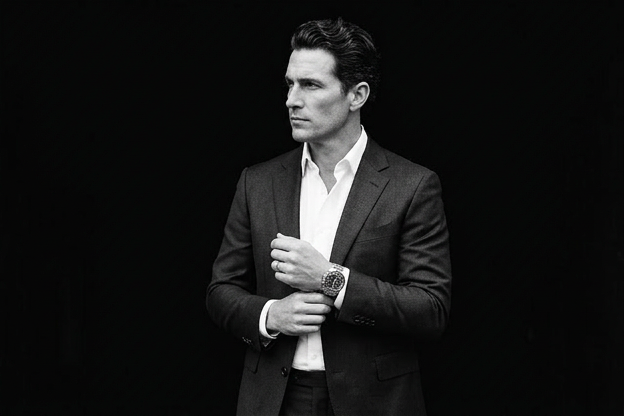
Full Feature Set of SeeVid AI Image to Prompt
A powerful AI-driven image analysis platform that extracts comprehensive, structured text prompts from any image in seconds.
Multi-Category Visual Analysis
The AI analyzes images across seven visual dimensions: subject (appearance, pose, expression), environment (setting, background), camera (angle, shot type, lens), lighting (direction, quality, temperature), color and style (palette, grading, artistic medium), composition (framing, rule of thirds, depth), and mood (emotional tone, atmosphere). Each category is described in detail and integrated into a cohesive prompt.
Support for Any Image Format
Upload JPG, PNG, WebP, BMP, or TIFF images up to 10MB. The tool handles photographs, digital art, paintings, illustrations, screenshots, and mixed-media compositions. AI-generated images, real photographs, and hand-drawn sketches are all supported.
One-Click Copy and Edit
Extracted prompts are displayed in an editable text area with one-click copy to clipboard. Modify the prompt directly to fine-tune emphasis, add or remove elements, or adapt it for a specific AI model's syntax. The workflow from image to customized prompt takes under 30 seconds.
Model-Agnostic Prompt Output
Generated prompts use natural language descriptions that work across all major AI generation platforms — SeeVid, Nano Banana, Midjourney, GPT Image 2, Flux, and more. No need to reformat or translate between prompt dialects; the output is immediately usable as-is or with minor adaptation for model-specific conventions.
Single & Structured Output
Choose a single flowing paragraph or a structured, labeled prompt (subject, environment, camera, lighting, and more). Process one image at a time in the web tool; repeat for additional references as needed.
Privacy-First Processing
Uploads are used to generate your prompt. We do not use your uploads to train public marketing models. For details on retention and processing, see SeeVid's privacy policy and terms.
Frequently Asked Questions About AI Image to Prompt
Everything you need to know about how AI image to prompt works, what results to expect, and how to get the best prompts from your images.
Turn Your Images Into Prompts
Stop guessing at keywords and start generating precise, detailed prompts from your visual references. SeeVid's AI image to prompt tool delivers structured, generation-ready descriptions in seconds — use credits in the tool above.